Three send-ready replies
Every generation gives you three polished options. Pick the one that feels right — no staring at a blinking cursor.
Replio
Turn awkward asks into clear, ready-to-send replies. Three polished options in seconds — kind without being soft, clear without being cold.
Who it's for
Work pushes, weekend plans, family favors, dating clarity, money asks — Replio helps you protect your time and relationships with words that feel like you.
Features
A guided flow — not a blank chat. Situation, context, tone, then three replies you can send as-is.
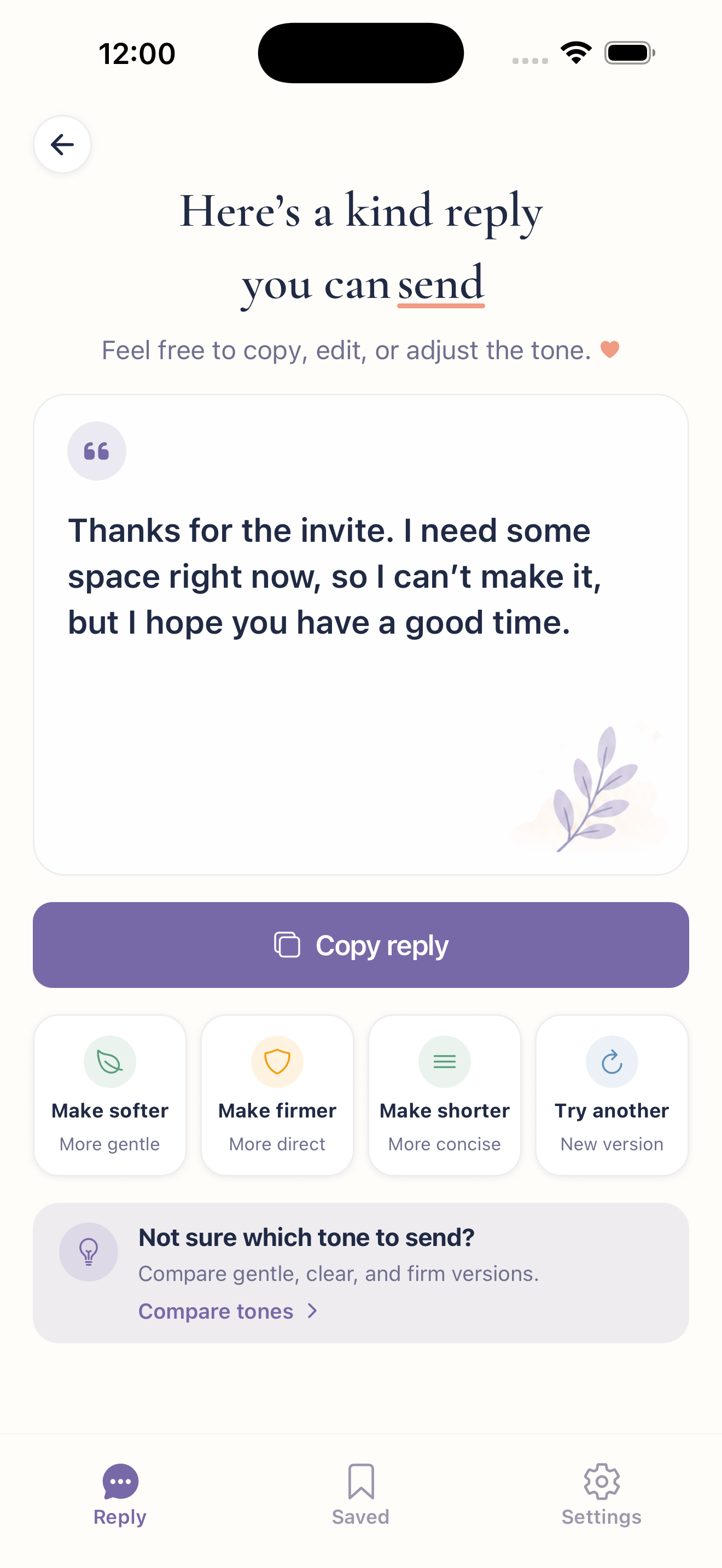
Every generation gives you three polished options. Pick the one that feels right — no staring at a blinking cursor.
Warm, professional, direct, firm, gentle, or clear — match the room without rewriting from scratch.
Make a reply shorter, longer, less apologetic, softer, or firmer. Or compare gentle, clear, and firm side by side.
Keep favorites and recent replies ready for the next awkward ask — so you stop rewriting the same message.
Guest mode lets you try Replio right away. Sign in with Apple when you want Pro. Read more in the privacy policy.
How it works
Three simple steps. In a few taps you have wording you can actually send.
Work, friends, family, or dating — then pick what you need: decline, delay, or set a boundary.
Paste the message you received or describe the ask. Choose how you want to sound.
Get three polished options. Copy, refine, or save — then send with confidence.
FAQ
Short answers on how it works, tones, guest mode, privacy, and availability.
Replio helps you say no clearly and kindly. Choose the situation, add a little context, pick a tone, and get three send-ready reply options — so you protect your time without sounding cold or over-apologetic.
Anyone who freezes when a request lands — work pushes, social invitations, family favors, dating clarity, money asks, or personal boundaries. If you rewrite the same message three times, Replio is for you.
Pick a life context and scenario, paste or describe what you received, choose a tone, and Replio returns three polished replies. You choose the wording that feels right — Replio drafts, you decide.
Warm and kind, professional, direct and short, firm, gentle, or clear. You can also refine a reply — shorter, longer, less apologetic, softer, or firmer — and compare gentle, clear, and firm variants side by side.
No. Guest mode lets you try Replio without signing in. Sign in with Apple is available when you want Pro features like unlimited replies and refinements.
You can download Replio from the App Store.
Not yet. Replio is currently built for iPhone and runs on iOS only.
We designed Replio with care for your privacy. For details on how information is processed, see the privacy policy.
Get the app
Download Replio for iPhone and get the right words whenever an awkward ask shows up.